iPhone · iPad · Mac · Apple TV · CarPlay
Your playlists, your videos, your route. One app.
Watch your own M3U and Xtream playlists, Jellyfin, Emby and Plex, local videos and free live channels from broadcasters, and drive with spoken turn-by-turn directions on your iPhone and car screen. Video on the car screen plays only while parked.
One app, all your sources
Live channels with groups, logos and a program guide, your media server and your own videos, on iPhone, iPad, Mac and Apple TV.
-
M3U and Xtream
Add your playlist or Xtream account; channels arrive with their groups and logos.
-
Jellyfin, Emby and Plex
Movies, shows and live TV from your personal media server in one place.
-
Cast Receiver
Send videos to Dricast from DLNA apps on the same network.
-
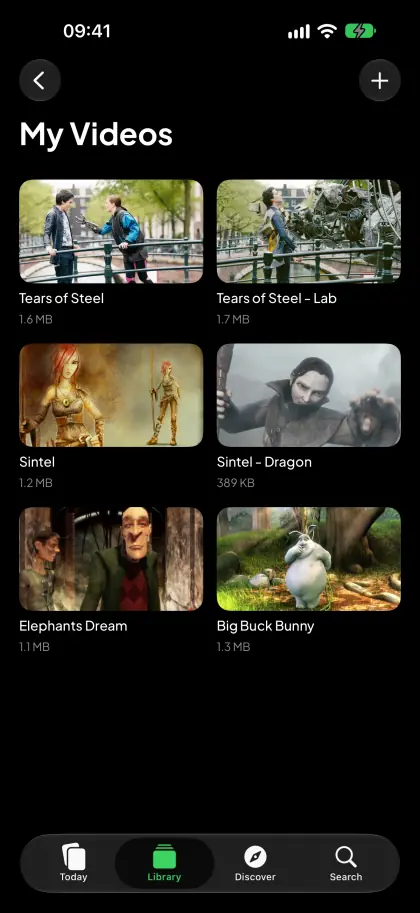
Local videos
Add videos from Files or Finder and watch them without an internet connection.
-
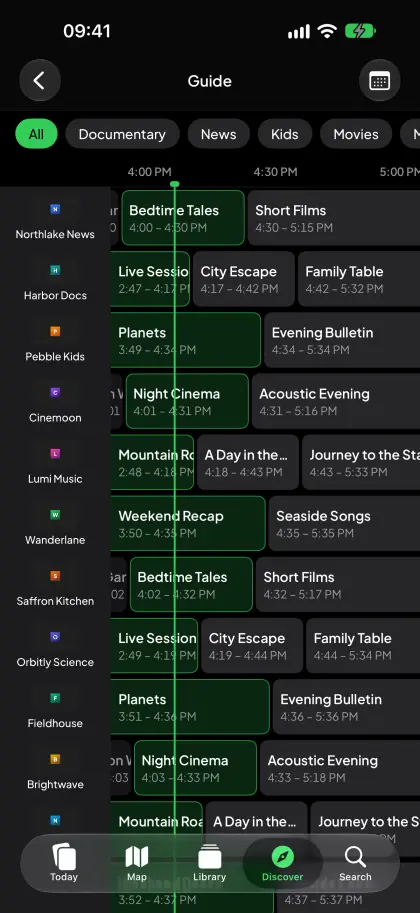
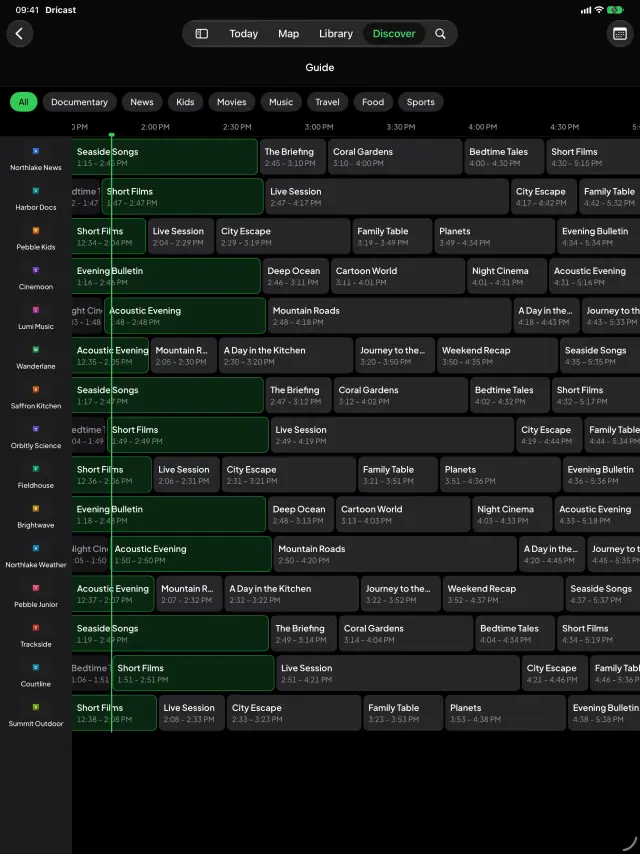
Program guide
See what’s on now and next, channel by channel, in a grid.
Dricast does not provide any content. Only add sources you have the right to watch.
Park Mode
When you stop, in a car park, at a charger or while waiting for someone, your own media comes to the car screen: playlists, Jellyfin, Emby and Plex, local videos, web video and screen mirroring.
- Video turns on only after you confirm “I’m Parked”. Confirm once the car is parked in a safe place; you can withdraw it at any time on your iPhone.
- On the road the car screen shows the map and directions; one tap takes you from Park Mode back to the map, and audio keeps playing. Never turn on video while driving.
- Maps, place search and routes are provided by Apple Maps; your precise location is never sent to us. For nearby chargers, a position rounded to about 1 km is sent to our server, cached for up to 5 minutes, not stored and not linked to you.
From the app
-
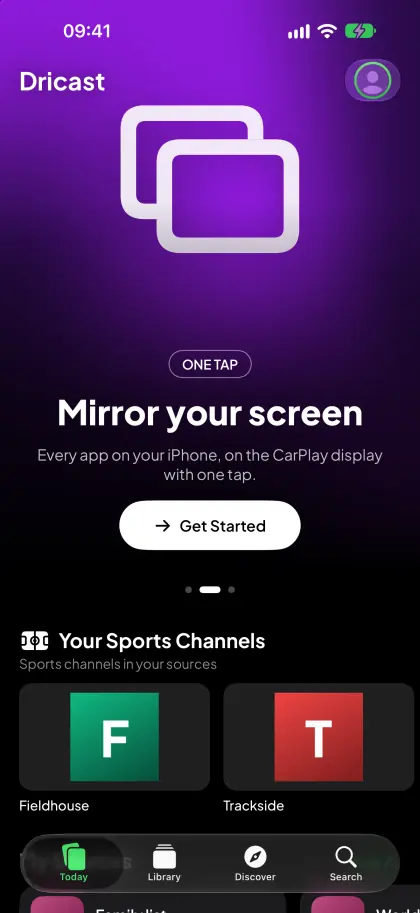
Today
-
Guide
-
My Videos
-
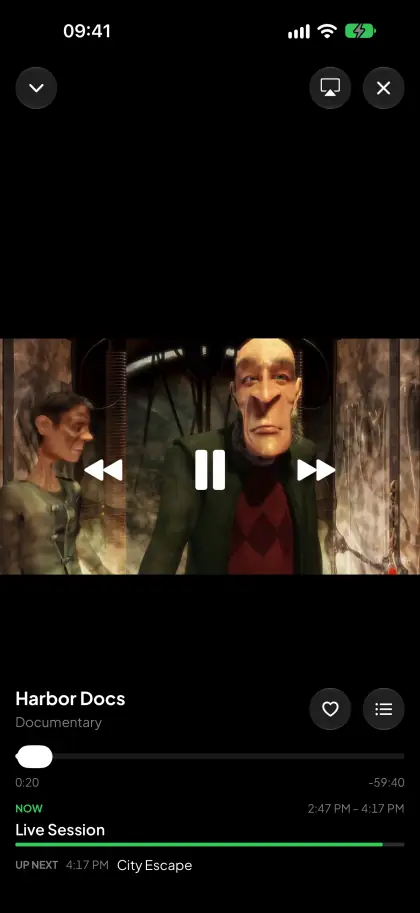
Player
On all your screens
-
iPad
-
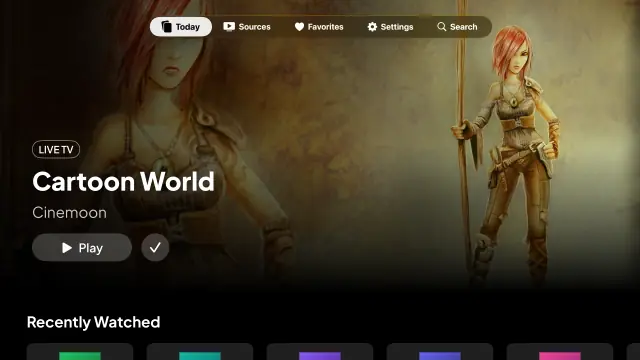
Apple TV
- iPhone With CarPlay and widgets. App Store
- iPad A sidebar layout for the larger screen. App Store
- Mac Runs as the iPad app on Macs with Apple silicon. App Store
- Apple TV Designed for the big screen and the remote. App Store
- Windows A desktop app is in the works. Coming soon
- Android In the works for Android phones. Coming soon
One purchase works on iPhone, iPad, Mac and Apple TV.
-
Apple TV
An interface designed for the remote. Sign in by approving the on-screen code with your phone.
-
Widgets
Your recent channels on your Home Screen, one tap away.
-
iCloud sync
Your sources sync automatically across iPhone, iPad, Mac and Apple TV.
Free and Pro
You can use Dricast for free. Pro removes every limit and turns off ads.
Ads are never shown on the car display.
Prices are for information only; the price that applies is the one the App Store shows in the app. Purchases are made only in the Dricast app through the App Store; no payments are taken on the web.
Frequently Asked Questions
What is Dricast?
Dricast is a media player and car navigation app for iPhone, iPad, Mac and Apple TV. It plays your own M3U/M3U8 playlists, Xtream Codes accounts, Jellyfin, Emby and Plex servers and local videos, and guides you turn by turn on your iPhone and the car screen, with nearby charging stations on the map. On the car screen, Park Mode shows video only while you are parked. Dricast does not sell or provide channels.
Which charging stations does Dricast show?
Nearby stations from national open registries (Bundesnetzagentur in Germany, data.gouv.fr (IRVE) in France), Open Charge Map and Apple Maps, with distance, maximum power, connector types and operator where available. Coverage is most detailed in Germany and France. Live availability, payment and starting a charge are not supported.
Can I watch while driving?
No. Video on the car screen turns on only after you confirm “I’m Parked”; confirm once the car is parked. On the road the car screen shows the map and directions, and audio keeps playing. Never turn on video while driving.
Does Dricast use my location?
Yes, with “While Using the App” permission for directions and nearby chargers; in the background only while guidance is running. Park Mode does not use your location. Maps, place search and routes come from Apple Maps; your exact location is not sent to us. For nearby chargers, a location rounded to about 1 km is sent to our server; it is cached for at most 5 minutes, not stored, not linked to you and not logged.
Which devices does Dricast run on?
iPhone and iPad with iOS/iPadOS 18 or later, Macs with Apple silicon (as the iPad app) and Apple TV with tvOS 18 or later. Navigation, including nearby charging stations, is on iPhone and in the car with CarPlay, not on Apple TV; video on the car screen only while parked. Windows and Android versions are in the works.
Does Dricast provide channels or streams?
No. Dricast is a player; you add your own M3U playlist, Xtream account or media server. Only add sources you have the right to watch.
Is Dricast free?
Yes. The free version includes 1 source, 3 local videos and 10 minutes of video a day in CarPlay. Pro removes every limit and turns off ads.
Can I watch on the web?
No. This site introduces Dricast and lets you manage your account; watching happens in the Dricast app.
Do I need an account?
No, an account is optional. Sign in with Apple or Google to see your membership and to sign in on Apple TV with your phone.
Does my Pro membership work on my other devices?
Yes. One purchase works on iPhone, iPad, Mac and Apple TV.
Is there a Windows or Android version?
Not yet; both are in the works. We’ll announce them on this site when they’re ready.
Get Dricast
One app for iPhone, iPad, Mac and Apple TV.